> For the complete documentation index, see [llms.txt](https://anymind-group.gitbook.io/english-1/llms.txt). Markdown versions of documentation pages are available by appending `.md` to page URLs; this page is available as [Markdown](https://anymind-group.gitbook.io/english-1/faq/kyanpn/mkettopureisu/infuruensgaiwoshitekuretanodeshiiwoshitai.md).
# I want to get data from a new post after the influencer deleted their previous post.
Change the old post status to "ineffective". AnyTag then fetches new post automatically.
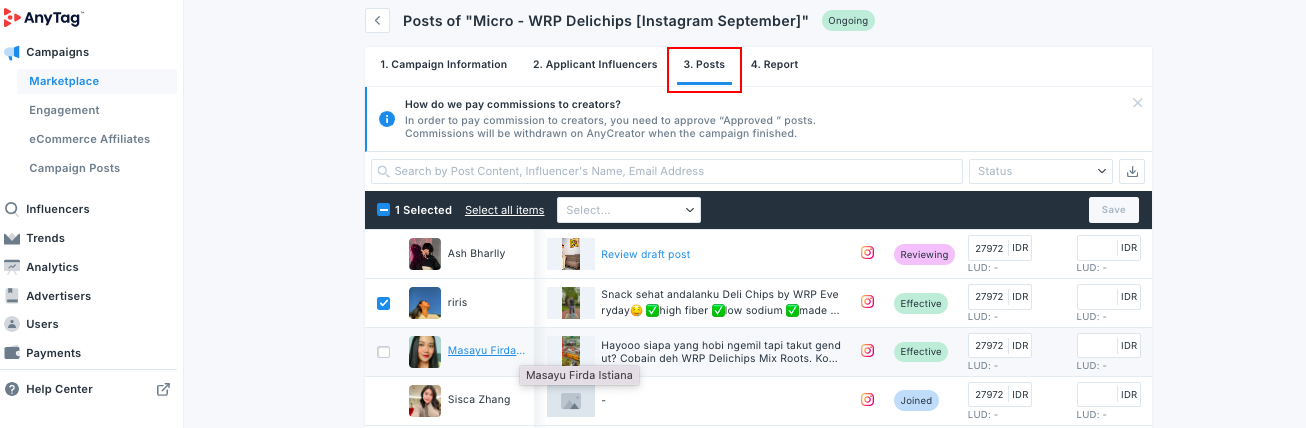
### 1. Go to Posts tab of the campaign
### 2. Select the checkbox(es) for old posts which have been deleted:
### 3. Change post status to Mark as "Ineffective"
### 4. AnyTag will start to fetch the new post and the data automatically when the influencer posts it