> For the complete documentation index, see [llms.txt](https://anymind-group.gitbook.io/english-1/llms.txt). Markdown versions of documentation pages are available by appending `.md` to page URLs; this page is available as [Markdown](https://anymind-group.gitbook.io/english-1/kyanpn/campaign-posts.md).
# Campaign Posts
It provides us with the benchmark of post and influencer level that previously joined our campaigns and helps us in planning and comparision different influencers' performance in soical post campaigns
Click on **Campaign Posts** on the left navigation bar:
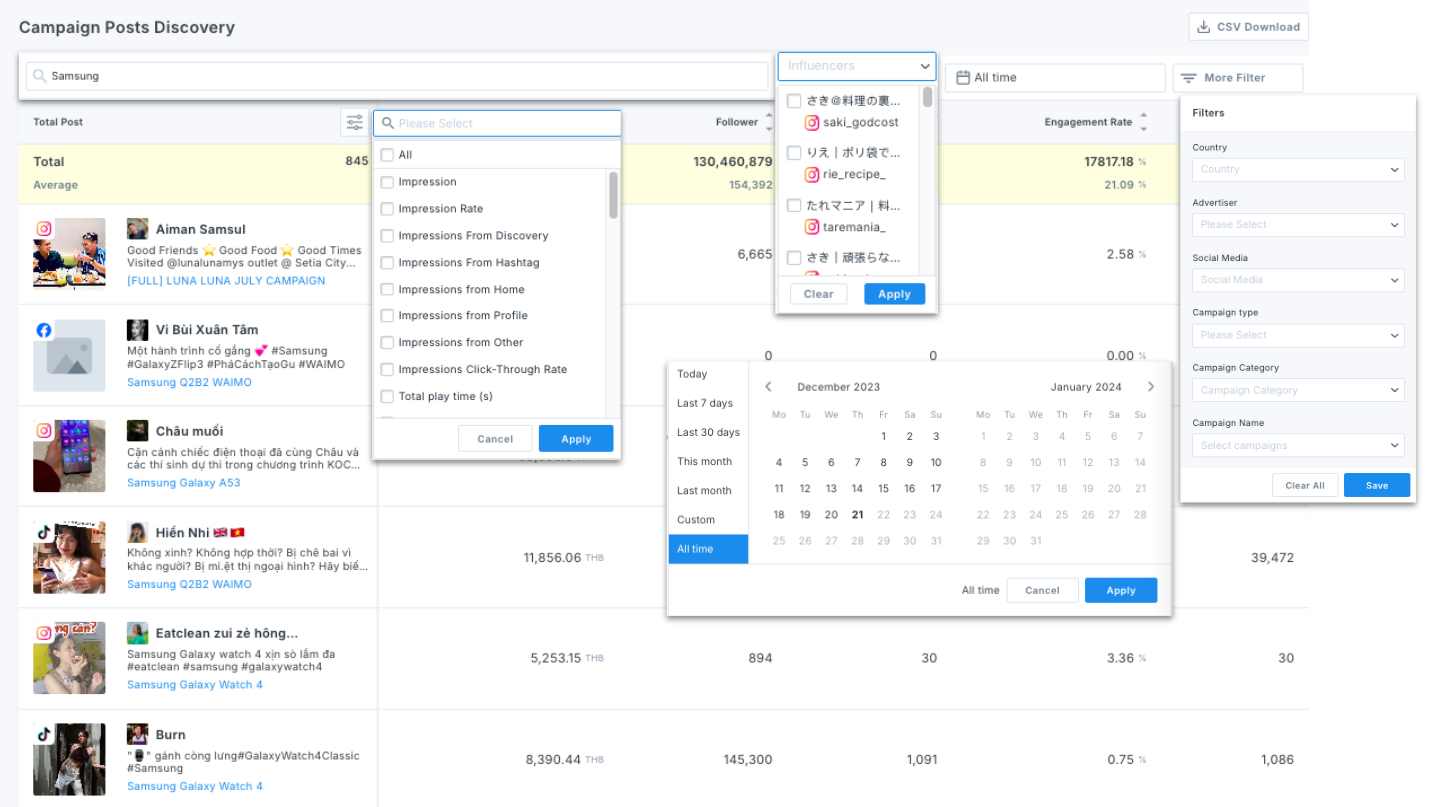
Use **Searching tool** and **More Filters** to narrow down your searching results:
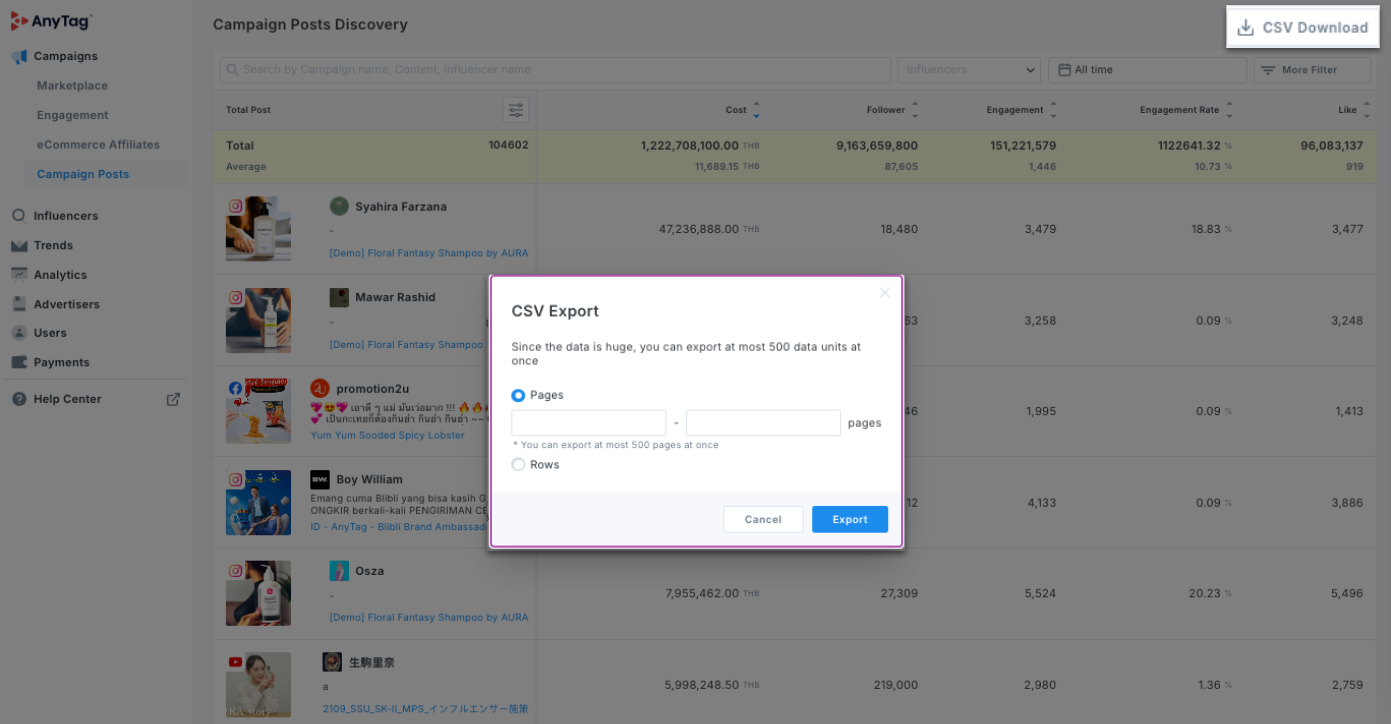
Download CSV file:
{% hint style="info" %}
You can sort in the ascending/descending list by clicking on ▲/▼ beside each metric.
{% endhint %}
{% hint style="info" %}
You can directly access the posts and influencer profiles through clicking on pictures/ influencers' names, and view campaign details through Campaign names.
{% endhint %}