> For the complete documentation index, see [llms.txt](https://anymind-group.gitbook.io/english-1/llms.txt). Markdown versions of documentation pages are available by appending `.md` to page URLs; this page is available as [Markdown](https://anymind-group.gitbook.io/english-1/more-tools/social-media-data-fetcher/tiktok-comment-and-utterance-tool.md).
# TikTok Comment and Utterance Tool
## What's TikTok Comment and Utterance?
**TikTok Comments and Utterances** is a Google Sheets add-on that automatically collects **audience comments** and **spoken content (utterances)** from TikTok videos and organizes them into a structured spreadsheet. This allows your team to analyze **audience reactions and creator messaging** together in a single, unified dataset.
Comments capture how audiences react, while utterances reflect **what is actually said in the video**. Together, they provide clear, actionable insights—helping you identify trends, understand sentiment, validate messaging, and fine-tune campaign strategies.
With everything structured in Google Sheets, you can you can spot trends, gauge sentiment, and fine-tune campaign strategies—saving hours of manual work while making smarter, data-driven decisions.
## Step-By-Step Instructions
### 1. Install **Social Media Data Fetcher**
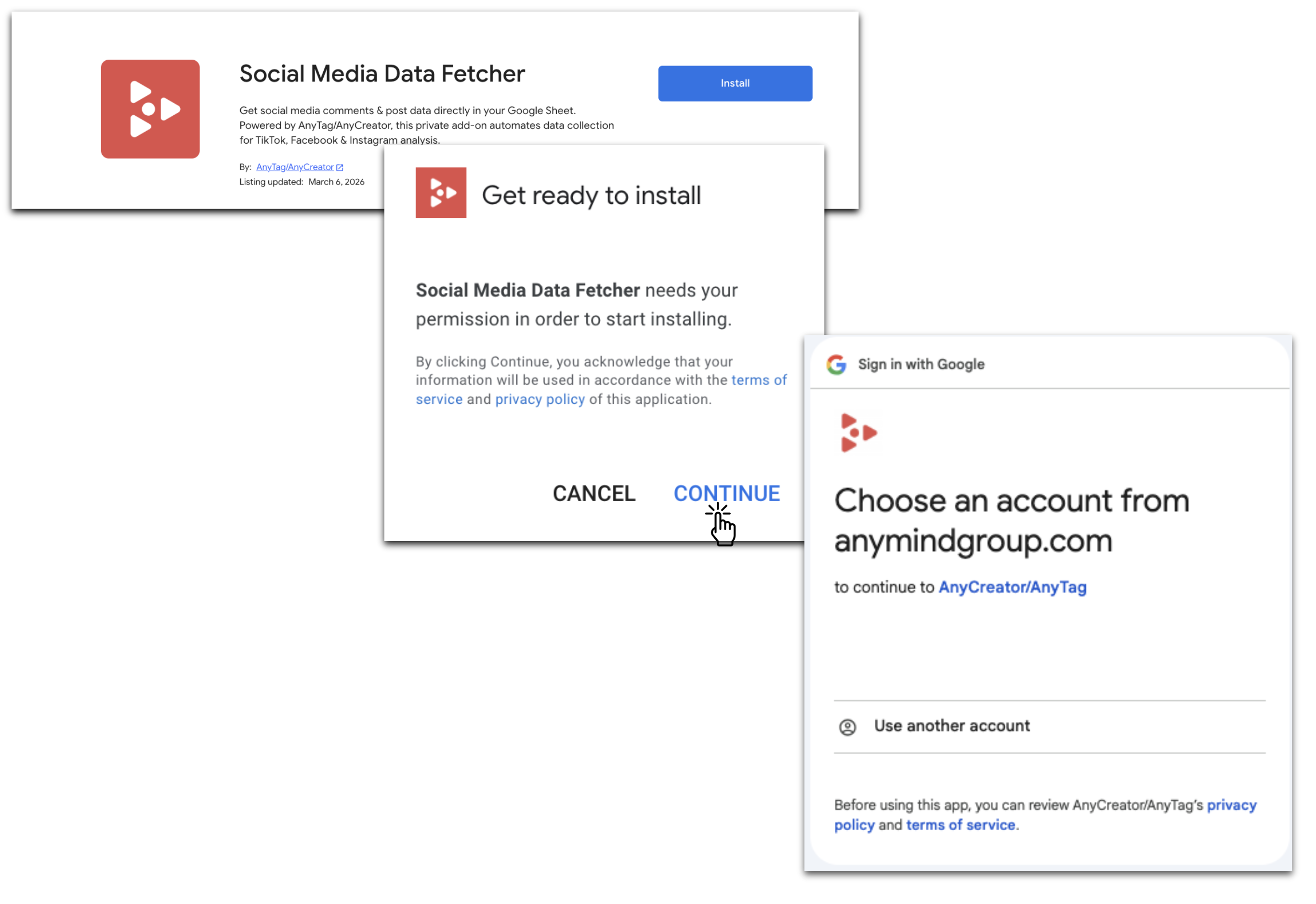
* Go to the [**Google Workspace Marketplace**](https://workspace.google.com/marketplace)**,** search and install **Social Media Data Fetcher** for your Google account.
* Or directly install via [this provided URL](https://workspace.google.com/marketplace/app/tiktok_comment_fetcher/945076258427).
### 2. How to run TikTok Comment Fetcher
#### Step 1: Prepare Your Google Sheet
* Create a new or open an existing Google Sheet.
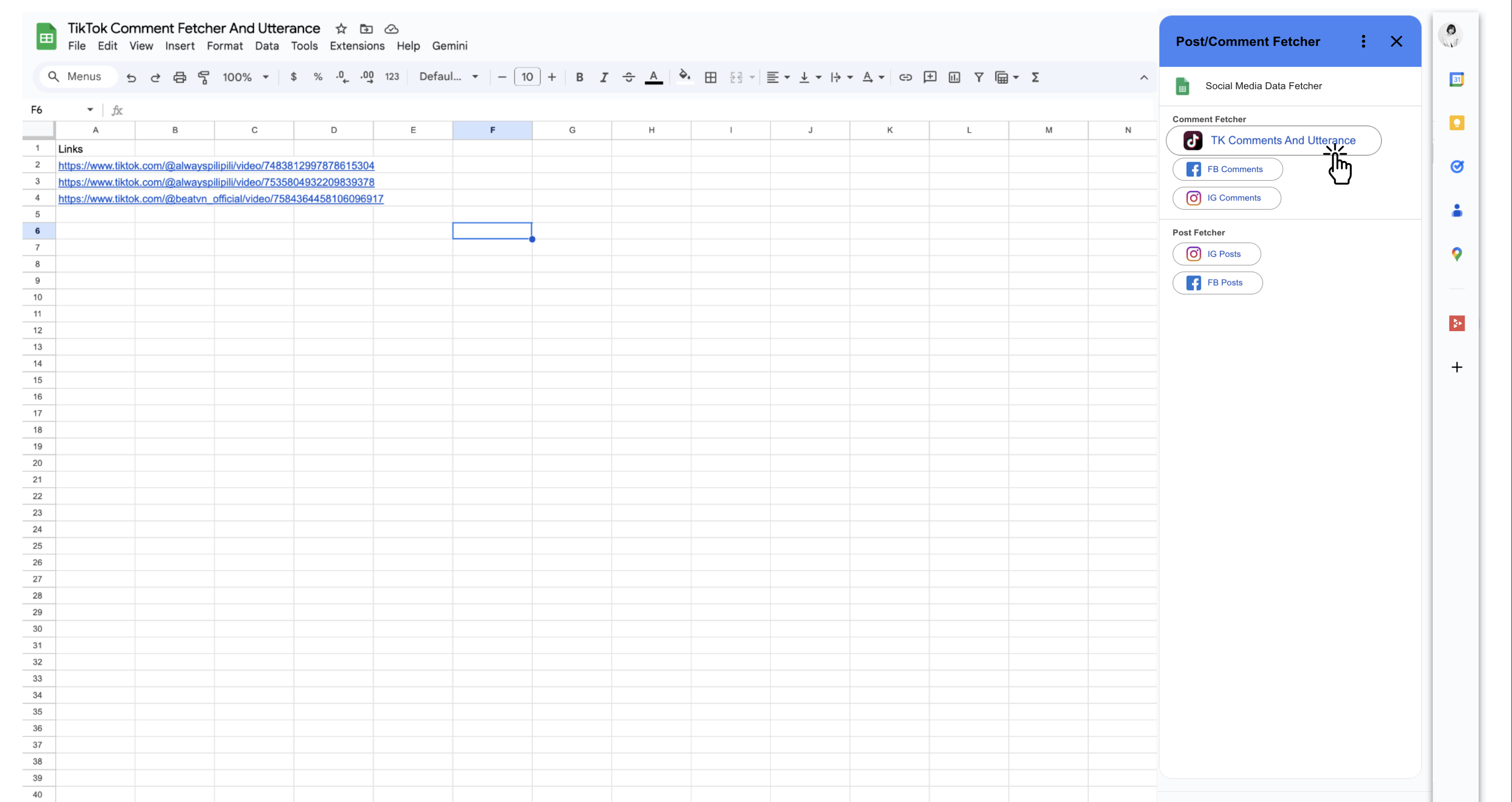
* In **Column A**, name the header **“Links”**, then paste the full TikTok video URLs starting from **Row 2** (one URL per row).
{% hint style="warning" %}
If you have multiple URLs, place each one in a separate row of the same first column.
{% endhint %}
#### Step 2: Run the Add-On
* Click the add-on icon located on the right side of your sheet (typically a puzzle-piece icon or toolbar button).
* Select **"TT Comment Fetcher And Utterance**"
* Then click on "**Start Fetching Comments"**
#### Step 3: Authorize Access
* A prompt will guide you to grant access.
* Copy **sheet-manager email address** and **share** your sheet with that email as **Editor** permission.
#### Step 4: Fetch Comments
* Return to the sheet and click **"Check again"** (to confirm permission setup).
* Then click **"Start Fetching Csomment"** once more to initiate the process.
#### Step 5: Wait for Results
* The add-on will process your request. Once data is ready:
* A **new tab** named **"Result\_of\_\[original name]"** will appear in your sheet.
* You’ll receive an **email notification** confirming completion.
#### 🎥 Visual Walkthrough
For a clear visual demonstration, watch the **TikTok Comment and Utterance Instructional Video** below:
{% embed url="" %}
{% hint style="warning" %}
#### Running Multiple Tasks
You may run a new task within the same Google Sheet by creating a **new tab**, provided that no other task is currently in progress.
Please note the following execution rules:
* **Only one task can run at a time per Google Sheet**
* Starting a new task while another tab in the same Google Sheet is still running will **automatically cancel the previous task**.
If you need to run multiple tasks at the same time, please create and use **separate Google Sheets** for each task.
{% endhint %}
{% hint style="info" %}
The fetching process may take approximately **10–20 minutes**, depending on workload, video length, and time zone differences.
{% endhint %}
{% hint style="danger" %}
#### **Limitation:**
* You can submit up to **500 TikTok video URLs** in a single execution sheet.
* The tool fetches up to **100 comments per video** in each run. To retrieve additional comments, create a **new Google Sheet** and start a fresh fetch.
* When submitting multiple jobs from the same Google Sheet, **only the latest job will be executed**. To avoid cancellations, run them one at a time—for example, complete Sheet1 first, then proceed with Sheet2.
{% endhint %}