> For the complete documentation index, see [llms.txt](https://anymind-group.gitbook.io/english-1/llms.txt). Markdown versions of documentation pages are available by appending `.md` to page URLs; this page is available as [Markdown](https://anymind-group.gitbook.io/english-1/more-tools/social-media-data-fetcher/facebook-instagram-comment-fetcher.md).
# Facebook/Instagram Comment Fetcher
## **What's Facebook / Instagram Comment Fetcher?**
**Facebook / Instagram Comment Fetcher** is a powerful tool that automatically collects audience comments from public Facebook and Instagram posts and organizes them into a structured format for analysis. By centralizing comment data, teams can efficiently review engagement, identify trends, evaluate sentiment, and support moderation or campaign performance assessment—eliminating hours of manual work and enabling faster, data-driven decisions!
## Step-By-Step Instructions
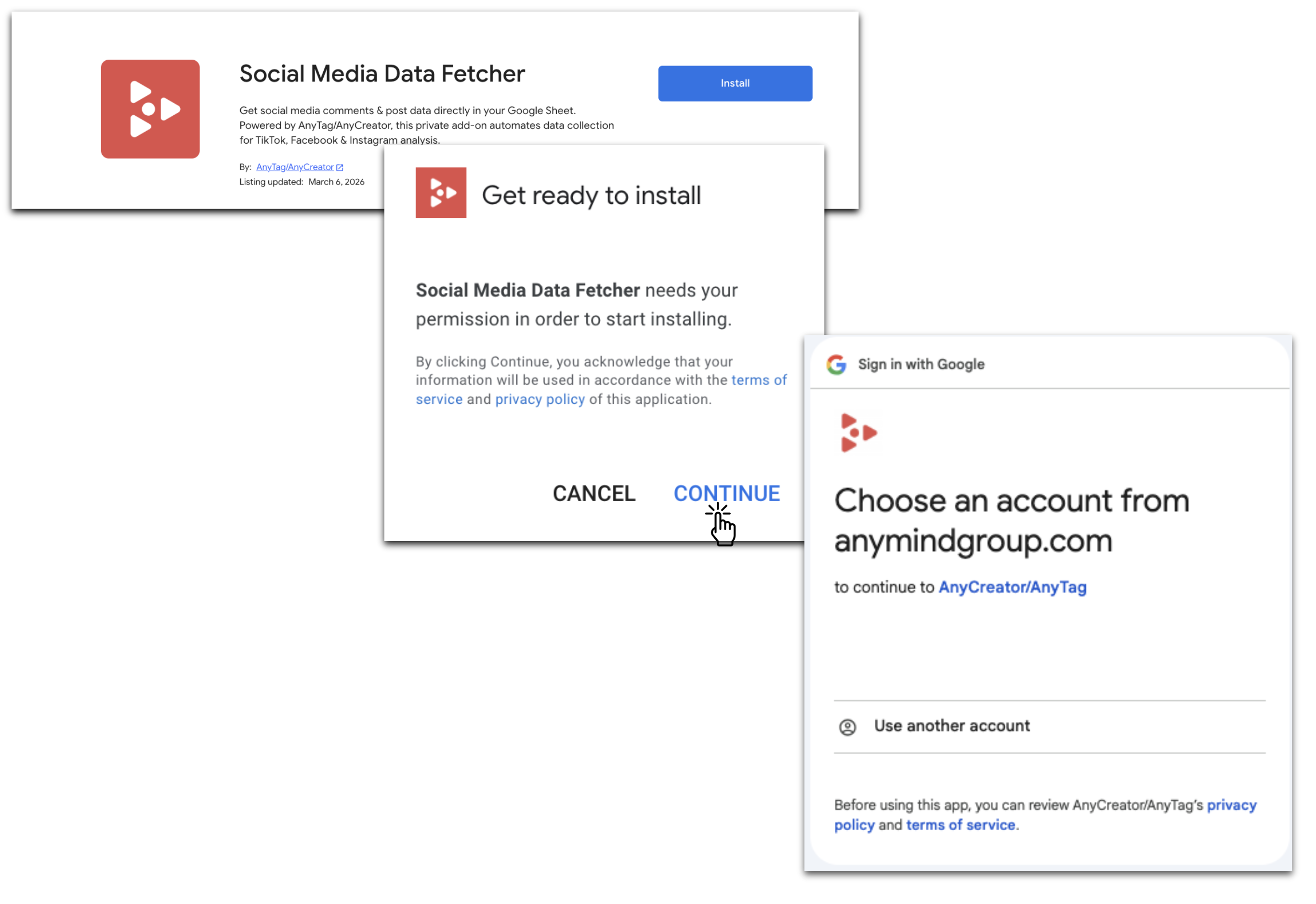
### 1. Install **Social Media Data Fetcher**
* Go to the [**Google Workspace Marketplace**](https://workspace.google.com/marketplace)**,** search and install **Social Media Data Fetcher** for your Google account.
* Or directly install via [this provided URL](https://workspace.google.com/marketplace/app/tiktok_comment_fetcher/945076258427).
### 2. How to run **Facebook / Instagram Comment Fetcher**
#### Step 1: Prepare Your Google Sheet
You can reuse the result sheet generated by the Instagram/Facebook Post Fetcher to continue scraping comments from the same posts, allowing you to incrementally collect new comment data without creating a new sheet:
#### Step 2: Run the Add-On
* Click the add-on icon located on the right side of your sheet (typically a puzzle-piece icon or toolbar button).
* Select **"Start Fetching Comments"**.
#### Step 3: Authorize Access (if not already granted)
* A prompt will guide you to grant access.
* Copy **sheet-manager email address** and **share** your sheet with that email as **Editor** permission.
#### Step 4: Fetch Comments
* Return to the sheet and click **"Check again"** (to confirm permission setup).
* Then click **"Start fetching comment"** once more to initiate the process.
#### Step 5: Wait for Results
* The add-on will process your request. Once data is ready:
* A **new tab** named **"Result\_of\_commnent\_\[original name]"** will appear in your sheet.
* You’ll receive an **email notification** confirming completion.
#### 🎥 Visual Walkthrough
For a clear visual demonstration, watch the **Instagram Comment Fetcher Instructional Video** below:
{% embed url="" %}
And here is **Facebook Comment Fetcher Instruction Video:**
{% embed url="" %}
{% hint style="info" %}
The fetching process may take approximately **15–20 minutes**, depending on workload, video length, and time zone differences.
{% endhint %}
{% hint style="danger" %}
#### **Limitation:**
* The tool fetches up to **100 comments per video** in each run.
* When submitting multiple jobs from the same Google Sheet, **only the latest job will be executed**. To avoid cancellations, run them one at a time—for example, complete Sheet1 first, then proceed with Sheet2.
{% endhint %}