Hashtag & Keyword Analysis
Hashtag & Keyword Analytics Dashboard gives internal teams powerful insights into hashtag/keywords performance—unlocking advanced analytics previously available only to Brands accounts!
Last updated
Hashtag & Keyword Analytics Dashboard gives internal teams powerful insights into hashtag/keywords performance—unlocking advanced analytics previously available only to Brands accounts!
If your market requires access, please contact AnyTag Product Team to submit a request.
Click on [ + ] button to add hashtags/ keywords you want to analyze and include in your insights.

You can register up to 50 hashtags/keywords at a time.
Please note that the Hashtags/Keywords Analytics Dashboard may require 30 minutes to over an hour to fully retrieve and reflect data, depending on data volume and platform response time.

When you click on a registered hashtag/keyword, you'll instantly see a curated list of top-performing posts associated with that hashtag/keyword. This feature surfaces the most engaging content, making it easy to identify key trends and impactful posts for analysis, reporting, presentations, or strategic planning.


Rank
The post’s ranking
It follows the same order as displayed on the official web hashtag page on Instagram/ TikTok.
Influencer
The name of the influencer and follower count.
Post
Preview of the actual post content and attached image (thumbnail).
Engagement
The total number of likes + comments.
Like
The number of likes the post received
Comment
The number of comments the post received
Post Date
The date the post was published.
View
The total views on the TikTok post.
Save
The number of times the post was saved.
Share
The number of shares.
AnyTag supports displaying up to 50 posts on both TikTok and Instagram dashboards, depending on the number retrievable through AnyTag.
However, due to the deprecation of the Facebook API, the actual number of Instagram posts returned may often be fewer than 50.
You can:
Search posts by using user name, user ID, or post content key words.
Click the ▲ or ▼ arrows to sort posts by ascending or descending order.
You can view the post on Instagram/TikTok by Clicking on "View on..."

You can easily export a detailed list of hashtag-related posts in CSV/ Excel/ Spreadsheet format—complete with post details and thumbnail URLs perfect for slides or presentations. Plus, customize your export by selecting any date range in just a few clicks!

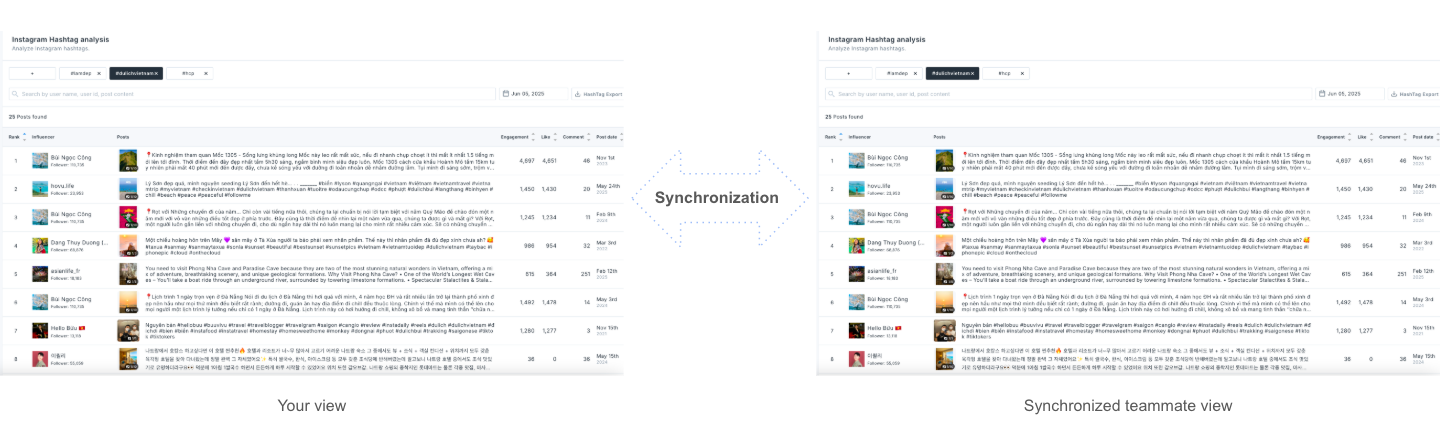
Streamline collaboration and ensure consistency across teams with Hashtag & Keyword Synchronization. This feature automatically syncs and updates hashtags and keywords across all internal users in your team — enabling real-time alignment, standardized data management, and seamless cross-team coordination!

Last updated